While mathematica isn’t open-source, it’s super great at 3D plotting (and plotting in general) and makes absolutely great plots so it’s a good thing to learn to use. Here’s some examples of how to 3D plot in Mathematica.
We can use mathematica’s DensityPlot3D function to plot a plane wave, and the Re function to extract the real-valued portion. The code is:
DensityPlot3D[
 Re[Exp[-I*\[Pi]*x/5]], {x, -10, 10}, {y, -2, 2}, {z, -2, 2}]
Result:
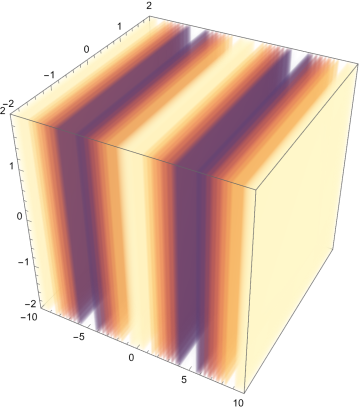
This (while not 3D) showcases plotting real and imaginary parts of a 1D plane wave together. The code is:
ReImPlot[Exp[I*x], {x, 0, 2*Pi}]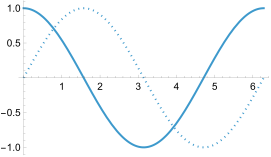
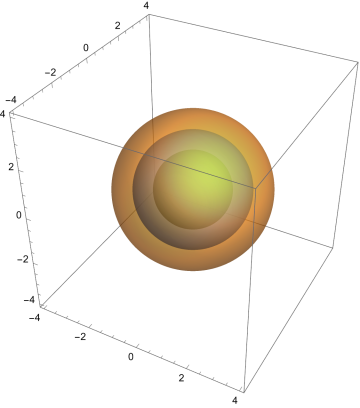
This is a plot of spherical 3D plane wave. The code is:
ContourPlot3D[
 Sin[Sqrt[x^2 + y^2 + z^2]]/Sqrt[x^2 + y^2 + z^2], {x, -4, 4}, {y, -4,
  4}, {z, -4, 4}, Mesh -> None, ContourStyle -> Directive[Opacity[0.5]]]
Note: Here I used the real Cartesian form rather than the complex exponential form as mathematica is easier to work with that.
And the result is:
For more examples/info see https://physics.weber.edu/schroeder/em/PlotTutorial.pdf